
Why my py5 sketches broke when I changed monitors
How pixel_density on Retina displays can silently break Py5Graphics objects — and why it only shows up when you switch monitors.
The routine
Since 2023 I have this daily routine. Before doing any productive (or paid) coding, I "warm up" by having a creative coding session using py5. Most of the time I start a series of sketches inspired by something I wanted to try, or to understand some cool sketches done by someone else. It is also common for me to go back and revisit old favourites. This gives me the opportunity to apply new techniques and tools to get a similar result.
The revisit
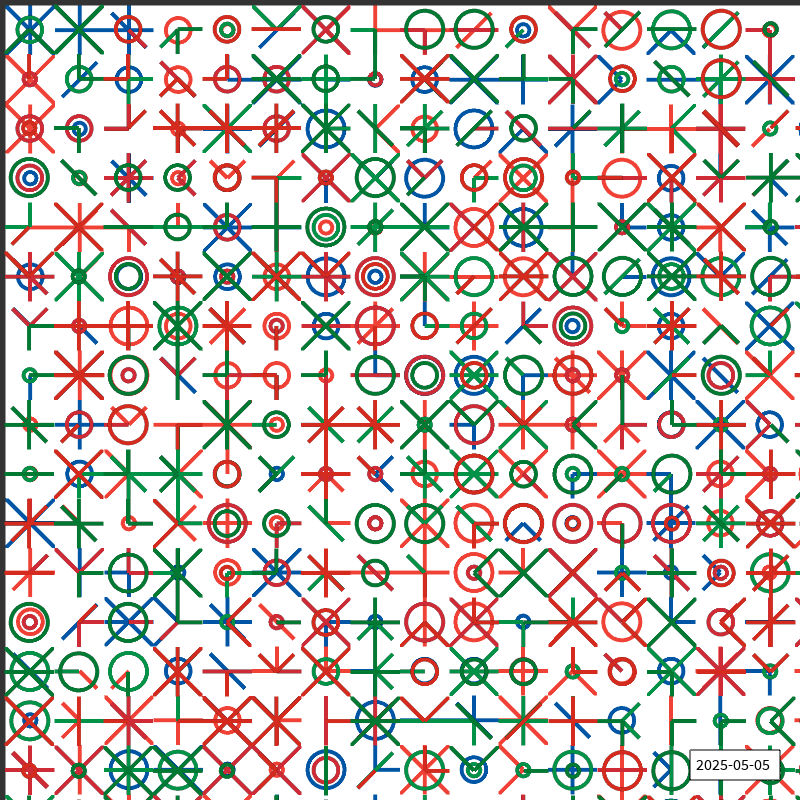
Saturday, I decided to revisit this sketch from May 2025, and re-implement it using my current template (1000x1000 with a 100-pixel border displaying the title and the date on top), while also improving the type annotations I wrote back then.
My "revisiting" process starts with checking imports, copying the old functions to the new sketch, and running it to see the results. Usually it works, with minor glitches, but this time everything seemed off. The most obvious problem: all glyphs were not centered in each cell, but crammed into the top-left quarter.
The debugging
To debug it I decided to focus on only one cell — instead of having a 20x20 grid — and dive into my (previously working) code to identify where the problem was.
Each glyph is created as a separate Py5Graphics object, with the same width and height of the cell, and then drawn onto the main sketch at the cell's coordinates with py5.image(). I tried changing py5.image_mode, but that didn't help. I inspected the Py5Graphics object and everything seemed correct — width, height — but every time the object was added with py5.image(), only a quarter of the cell was filled.
I was close to giving up when I decided to ask Claude to review everything. At first, no meaningful result was found, but then it mentioned that pixel density could be the culprit.
The culprit: pixel_density
Here's what was happening. My MacBook has a Retina display, where pixel_density is 2. That means a Py5Graphics object with a logical size of 50x50 actually has a pixel buffer of 100x100. The properties pg.width and pg.height return the logical dimensions (50), but pg.pixel_width and pg.pixel_height return the real ones (100).
My code was creating an image using the logical dimensions:
imagem = py5.create_image(pg.width, pg.height, py5.ARGB)But the pixel data coming from the graphics object was sized for the physical buffer — four times as many pixels. The result: only a quarter of the glyph was visible.
The fix was straightforward:
imagem = py5.create_image(pg.pixel_width, pg.pixel_height, py5.ARGB)And when displaying the image, explicitly pass the logical size so it scales back down:
py5.image(imagem, 0, 0, int(self.largura), int(self.altura))The plot twist
Everything fixed, I happily published my sketch.
Sunday, I'm at the airport. I start a new sketch based on the previous day and... the problem is back.
Just then it occurred to me why my original code from 2025 didn't work either: the external monitor. On Saturday, I was coding at home with an external monitor — which has a pixel_density of 1, so pg.width == pg.pixel_width and the bug was invisible. In 2025, and on Sunday, working on my MacBook's Retina screen, the mismatch returned.
The lesson
The proper fix is to never assume a specific pixel density. Always use pg.pixel_width and pg.pixel_height when working with pixel data from Py5Graphics objects, and let py5 handle the scaling when you draw them back to the sketch.